

Most GIS professionals can relate to this moment: you’re standing in the middle of a field, phone in hand, deadline looming and the GPS signal disappears. No internet. No map tiles. No way to collect clean data.
That exact frustration is what pushed Tinotenda Dinhidza, a Zimbabwean Geographic Information Science graduate, to build TGIS Collector, a mobile GIS data collection app designed specifically for remote and low-connectivity environments.
This is not a startup story built in a boardroom. It’s a solution born in the field, shaped by real-world surveying and mapping challenges faced across rural Africa and other developing regions.
What makes TGIS Collector different isn’t just the technology – it’s the context behind it.
Tinotenda developed the app after struggling to collect boundary and location data during a farm mapping exercise in the Makonde district of Zimbabwe, where network coverage and GPS reliability were unreliable. Existing GIS tools either required constant Internet access or were too complex for quick field deployment.
He chose to work on the problem instead of solving it.
Table of Contents
What Is TGIS Collector?
TGIS Collector is an Android-based mobile application that allows GIS professionals, surveyors, and field teams to:
- Collect spatial data offline
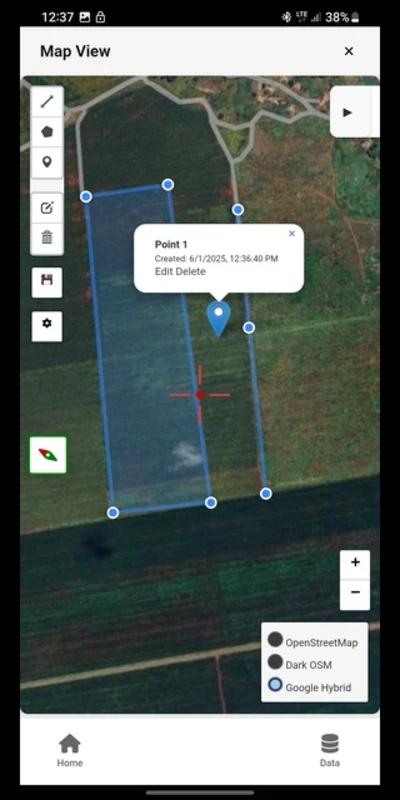
- Digitize features directly on the map
- Capture attributes using customizable forms
- Attach geotagged photos
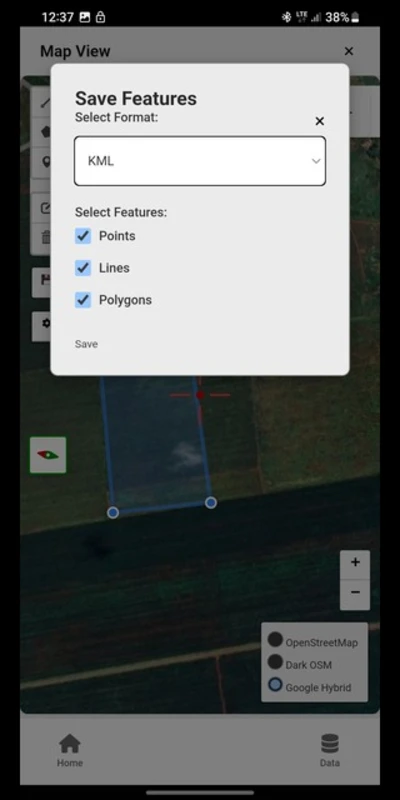
- Export data in common GIS formats
It is designed for practical field use, not just lab environments.
Key Features
1. Offline GIS Data Collection
TGIS Collector works without Internet access, making it ideal for:
- Rural mapping projects
- Agricultural survey
- Environmental monitoring
- Infrastructure inspection
This alone makes it a valuable tool for field teams working outside urban areas.
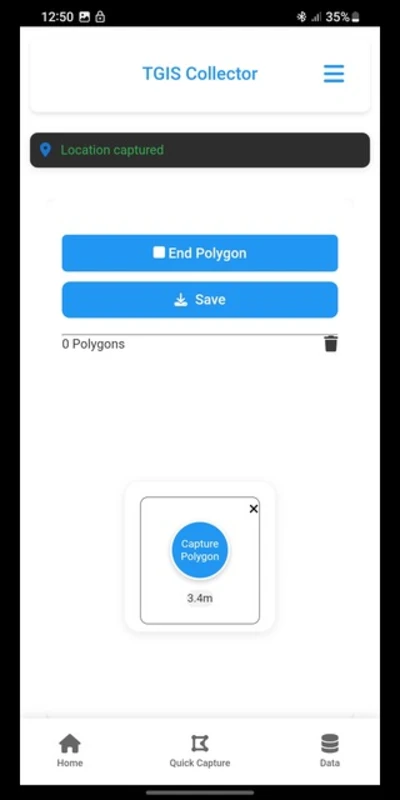
2. Supports Points, Lines, and Polygons
Users can easily collect:
- Points (wells, poles, trees, assets)
- Lines (roads, pipelines, fences)
- Polygons (farms, plots, land parcels)
The interface is intentionally simple, with no unnecessary menus or learning curve.
3. Customizable Data Collection Forms
Every project is different. TGIS Collector allows users to customize attribute fields to match their workflow, whether they are mapping agricultural land, utilities, or environmental features.
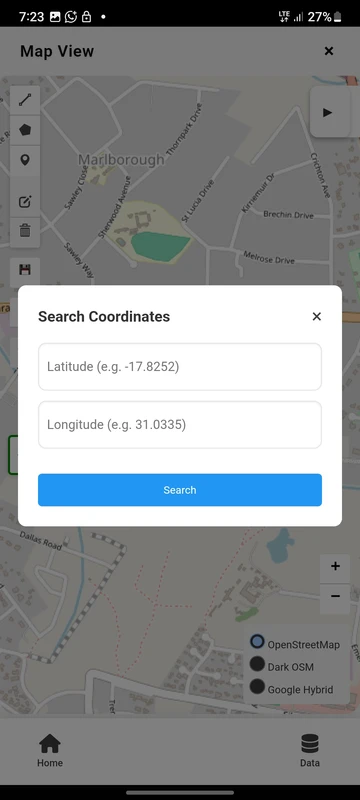
4. Satellite Map View (Online Mode)
When the internet is available, users can switch to the satellite basemap to:
- Better digitization accuracy
- Visual verification of features
- Better border tracing
5. Photo Attachments and Local Storage
Each feature can include photos captured directly from the device, adding valuable context to the field data. Importantly, data is stored locally on the device, giving users full control and improving data security.
6. Export-friendly GIS Formats
Collected data can be exported to:
- Csv
- K.M.L
- Geojson
These formats ensure compatibility with QGIS, ArcGIS, Google Earth and other GIS platforms.
Who Should Use TGIS Collector?
This app is particularly useful for:
- GIS professionals
- Surveyors and mapping technicians
- Agricultural extension officers
- Environmental researchers
- NGOs working in rural development
- Students learning field GIS techniques
If your work takes you beyond reliable network coverage, this tool makes sense.
Download Information
TGIS Collector is currently available for Android devices via trusted APK platforms such as:
While it’s not yet on the Google Play Store, the app is lightweight and easy to install.
Download the app and enjoy the ease of doing GIS data collection in the field. If you find it useful, don’t forget to share with your geospatial friends and team members.
Tinotenda can be reached on LinkedIn or by email for communication:
LinkedIn: https://www.linkedin.com/in/tinotenda-dinhidza
Email: dinhidzatinotenda11@gmail.com
Frequently Asked Questions
Is there a cost to use TGIS Collector?
It is free, allowing both students and professionals to use it.
Can TGIS Collector function offline?
Yes. You can gather and save GIS data without needing a network connection.
Which file formats are supported by TGIS Collector?
The application is compatible with CSV, KML, and GeoJSON formats, suitable for most GIS software.
Is TGIS Collector usable for land surveying?
Although it cannot replace survey-grade GNSS tools, it is suitable for mapping, planning, and initial data gathering.
Is TGIS Collector appropriate for Africa and emerging areas?
Certainly. The application was developed specifically for low-connectivity and remote settings